For the broader handoff context, the Premiere Pro markers guide covers cross-application workflows and the timing checks they share.
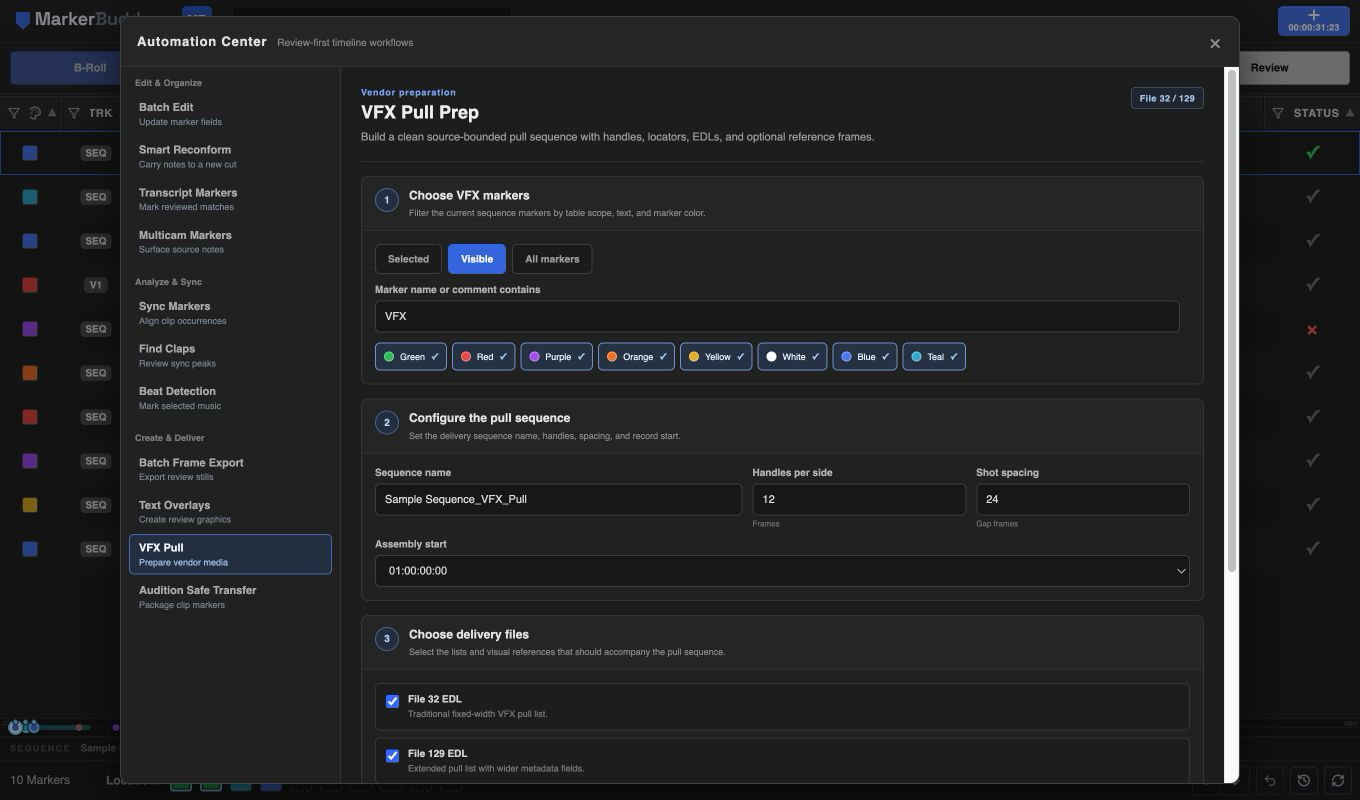
Filter the exact VFX markers for the turnover
Choose Selected, Visible, or All markers, then filter marker names or comments and Premiere palette colors. Point markers designate the containing video edit; a ranged marker can designate a smaller active range inside that edit.
The target count changes before analysis, so an empty or overly broad filter is visible before MarkerBuddy inspects source media.
Configure handles, spacing, record start, and files
Choose the pull-sequence name, head and tail handles per side, gap frames, and assembly start. Select File 32, File 129, optional full-resolution PNG references, and the delivery folder.
MarkerBuddy resolves source media bounds, source file names, Tape IDs, marker names and colors, and the exact active range before building the plan.
Review every source-bound shot before generation
Handles clamp independently at the available source head and tail, so neighboring takes cannot bleed into a pull. The review reports requested and actual handle counts.
The generated single-video-track sequence places each shot with the approved gaps and adds a colored locator over the active shot. List files and optional references use the same reviewed shot order.
Workflow
A practical four-step process
-
01
Designate the VFX shots
Use VFX markers in the locked edit and filter the exact selected, visible, or all-marker scope.
-
02
Configure the turnover
Set sequence naming, handles, spacing, record start, File 32 or 129 lists, PNG references, and the folder.
-
03
Review sources and clamps
Confirm source files, Tape IDs, active ranges, requested handles, actual source-bounded handles, and blocked shots.
-
04
Generate and quality-control
Create the pull sequence and files, then compare the result against camera originals before vendor delivery.
Before delivery
Review complex shots before delivery
Nested, multicam, reversed, or retimed shots that cannot be mapped safely are blocked for manual review. Review effects, transitions, burn-ins, and sync media before delivery.
