For the broader handoff context, the Premiere Pro markers guide covers cross-application workflows and the timing checks they share.
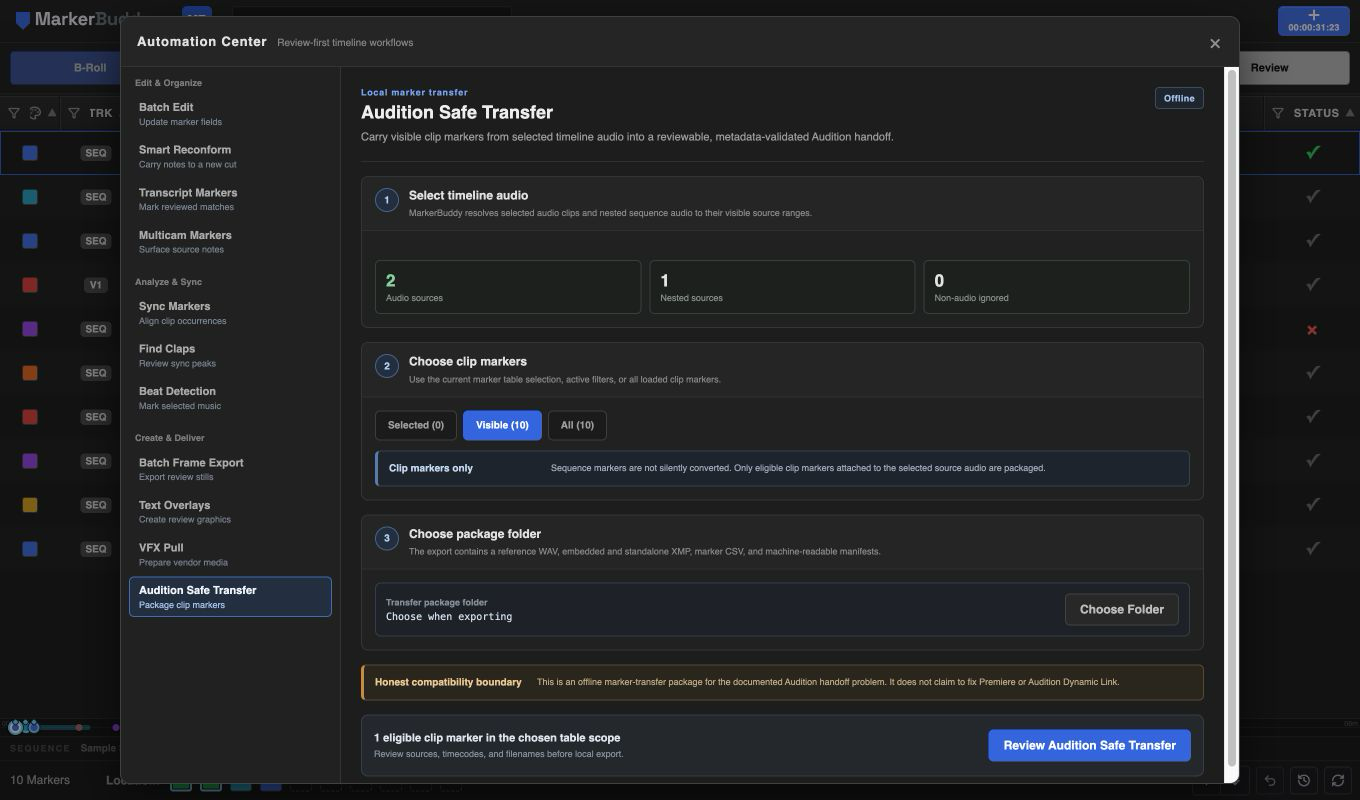
Select the timeline audio sources to package
Select one or more audio clip items in the active sequence. Selected audio inside visible nested sequences is supported, source timecode is preserved, and non-audio selections are ignored.
Only the visible selected ranges are included. Before export, review each source filename, eligible marker count, and source-timecode range.
Review eligible clip markers and source timecode
Choose Selected, Visible, or All marker-table scope. Only clip markers attached to the selected source audio are eligible; sequence markers are never silently converted.
Reused appearances of the same source marker are included once. Marker ranges preserve their duration, and every reviewed row shows the marker name, comments, color, and source timecode.
Export and check the local marker package
For each reviewed source, MarkerBuddy creates a local reference WAV with embedded markers plus matching XMP, CSV, and JSON files.
A package summary shows which sources were exported successfully and which need attention. Use the original production media for the final conform and mix.
Workflow
A practical four-step process
-
01
Select the intended audio
Select timeline audio clips, including nested occurrences whose visible source ranges and clip markers should be packaged.
-
02
Choose the marker scope
Choose Selected, Visible, or All, knowing that only eligible clip markers attached to selected audio are included.
-
03
Review sources and timecodes
Confirm source filenames, marker count, package name, and first-to-last source timecode.
-
04
Export and check
Create the reference WAV and marker files, then confirm that every intended source passed before handoff.
Before delivery
Check the marker track after import
Audition Safe Transfer creates a separate local marker package. Compatibility varies by Audition version and import method, so verify the marker track and use original production media for the final mix.
