For the broader handoff context, the Premiere Pro markers guide covers cross-application workflows and the timing checks they share.
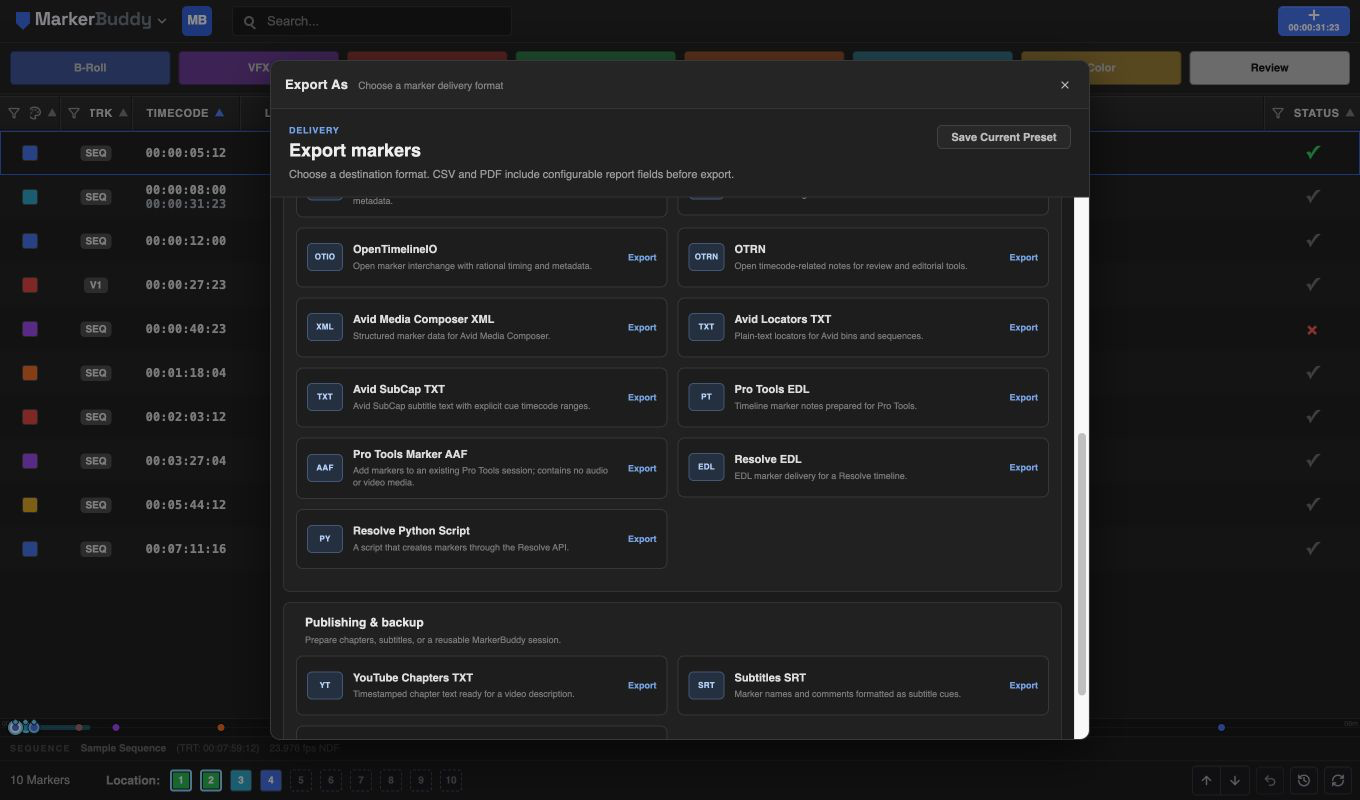
Prepare the marker set in Premiere
Select the exact marker rows you want to send. With no selection, MarkerBuddy exports the markers currently visible after filters, which is useful for sending only Audio, ADR, Music, VFX, or other department-specific notes.
Open Export As and choose Pro Tools Marker AAF. MarkerBuddy uses the active sequence frame rate, display start, and drop-frame setting, so confirm those match the picture and the destination session before export.
Import only the marker ruler in Pro Tools
In Pro Tools, choose File → Import → Session Data and select the AAF. On the Tracks tab, choose Clear All. On the Marker Rulers tab, map Markers to Markers, choose the timecode mapping required by the destination session, and complete the import.
The AAF contains markers and timecode but no audio or video media. It is designed to add markers to an existing session, not create a complete Pro Tools session or replace the normal picture and audio turnover.
Check timecode and marker text before handoff
Compare the first marker, a middle marker, and the last marker against the Premiere sequence or reference picture. If every marker has the same offset, repeat the import with the timecode mapping appropriate for the session start.
Range markers become point markers at their start. Characters the Pro Tools AAF importer cannot read, including emoji, are replaced with a question mark. Review marker text that relies on unusual symbols before delivery.
Workflow
A practical four-step process
-
01
Choose the marker set
Select the intended rows, or filter the table so only the department-specific markers remain visible.
-
02
Export the marker-only AAF
Open Export As, choose Pro Tools Marker AAF, and save the file.
-
03
Import markers in Pro Tools
Use File → Import → Session Data, clear all tracks, map Markers to Markers, and choose the correct timecode mapping.
-
04
Verify the result
Check markers near the start, middle, and end against the reference picture before the handoff is accepted.
Before delivery
Use the AAF with an existing Pro Tools session
MarkerBuddy does not create a PTX session and does not include picture, audio, tracks, clips, or automation. The AAF adds point markers to an existing Pro Tools session. Range markers use their start position, and the receiving team should verify timecode before relying on the imported ruler.
